
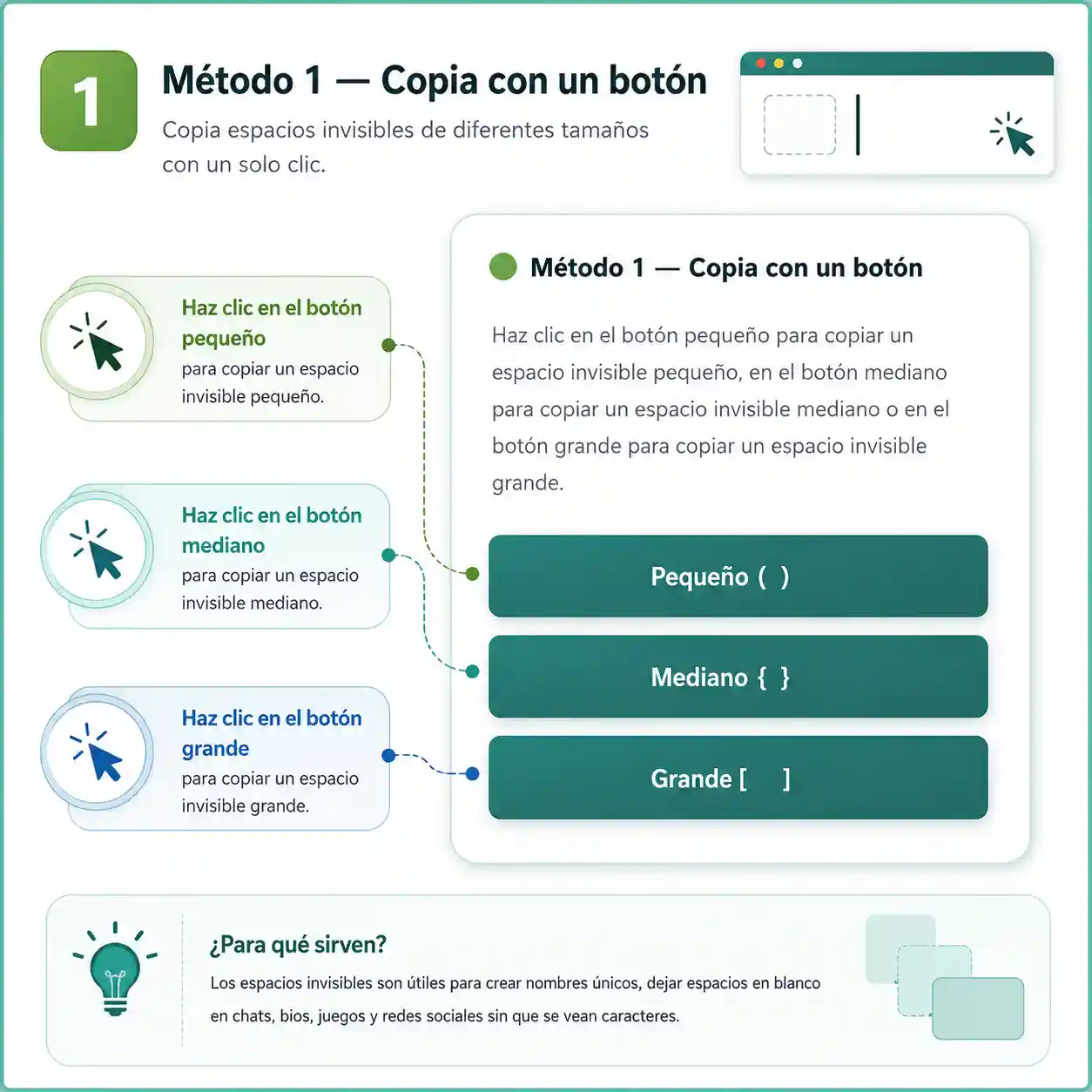
🟢 Method 1 – Copy with One Click
Click the Small button to copy a small invisible space, the Medium button to copy a medium invisible space, or the Large button to copy a large invisible space.
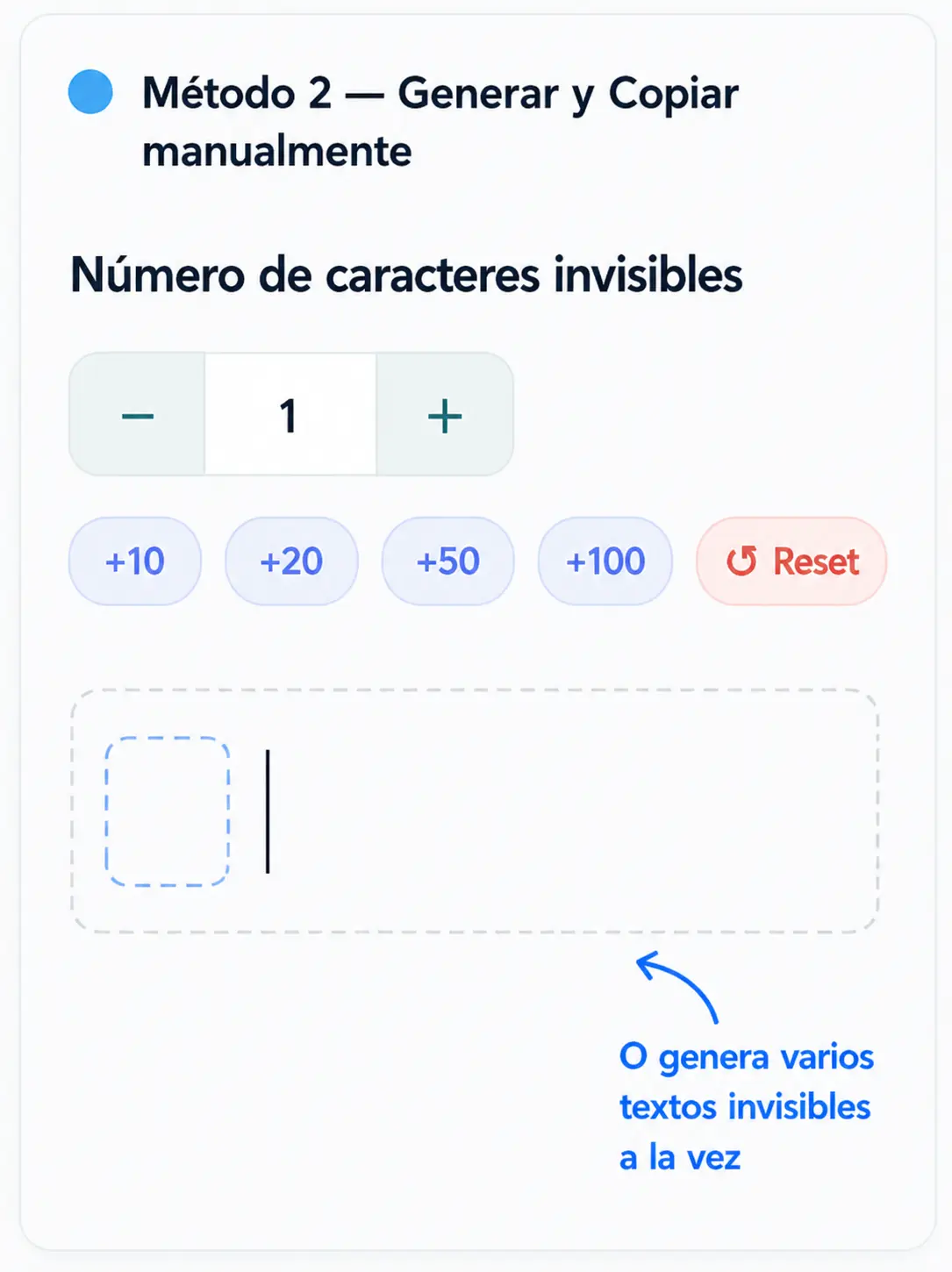
🔵 Method 2 – Generate and Copy Manually
Number of invisible charactersEnter the desired amount of invisible text into the input field below and click the “Copy” button. The exact number of invisible characters will be generated and copied. You can test the copied text by pasting it below:
🧪 Test It Out
Paste the blank character into the text box below to test it. If it works, the light gray placeholder text will disappear.
Copy and paste invisible text instantly and 100% free with our blank space generator. With this tool, you can create invisible characters and blank spaces ready to use on WhatsApp, Instagram, Free Fire, Discord, and many other platforms, without any registration or software downloads.
- What is Invisible Text?
- How to Use Invisible Text
- Unicode Characters Table
- Why Choose Our Invisible Text Tool?
- Where Can You Use Invisible Text?
- Invisible Text for Gaming
- Invisible Text in Mexico & Global Trends
- How to Detect and Remove Invisible Characters
- Is It Safe to Use Invisible Text?
- Invisible Text vs Fancy Text
- Frequently Asked Questions (FAQ)
- Available Languages
What is Invisible Text?
Invisible text (also known as invisible space, blank character, empty text, or hidden character) is a specialized Unicode character that occupies real space within a text string while remaining completely unseen on the screen. Unlike a standard space created by your keyboard spacebar, these symbols belong to specific Unicode blocks – such as the zero-width space (U+200B) or the Braille pattern blank (U+2800) – engineered to represent visual emptiness without disrupting text formatting.
They are widely used to send blank messages, create invisible gaming handles, post empty comments, or insert clean line breaks where platforms typically disallow standard spaces. Even though you cannot see them with the naked eye, digital systems recognize them as valid text, ensuring seamless functionality across WhatsApp, Instagram, TikTok, Free Fire, and dozens of other apps.
How to Use Invisible Text (Quick Step-by-Step Guide)
Using our invisible text tool takes less than 10 seconds. Here is how each step works:
Choose your invisible space size
The tool provides three pre-configured sizes ready for one-click copying: Large (L) for standard invisible spacing, Medium (M) for a balanced compact option, and Small (S) for minimal spacing, perfect for strict character limits.
Or generate multiple characters at once
If you need several consecutive invisible spaces, simply enter your desired quantity into the number input box, and the generator will create them instantly.
Click “Copy”
The invisible text is immediately saved to your clipboard (you will see the “✔ Copied!” confirmation pop up).
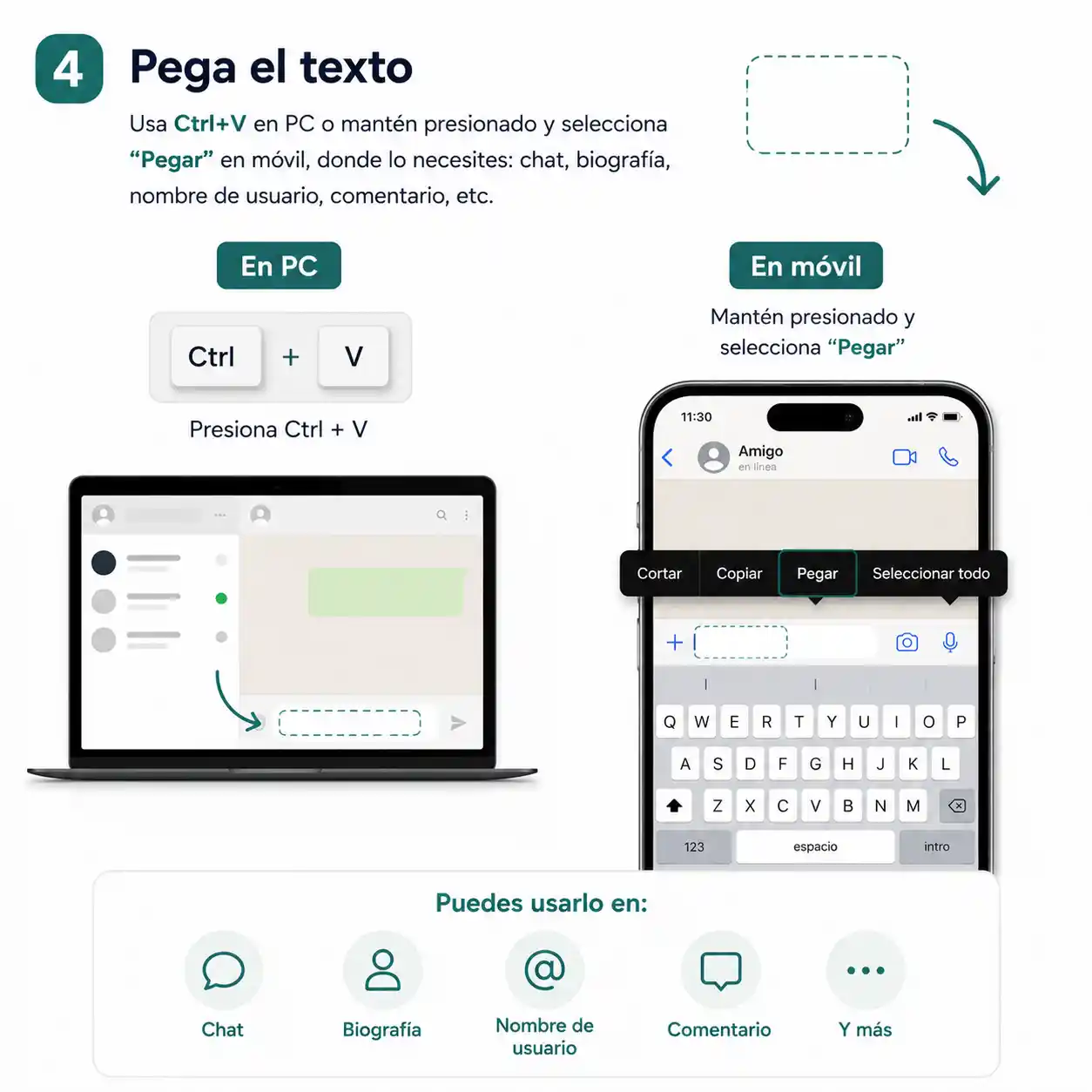
Paste the character
Press Ctrl+V (or Cmd+V on Mac), or tap and hold to select “Paste” on mobile, wherever you need it: chat messages, social media bios, usernames, comments, and more.
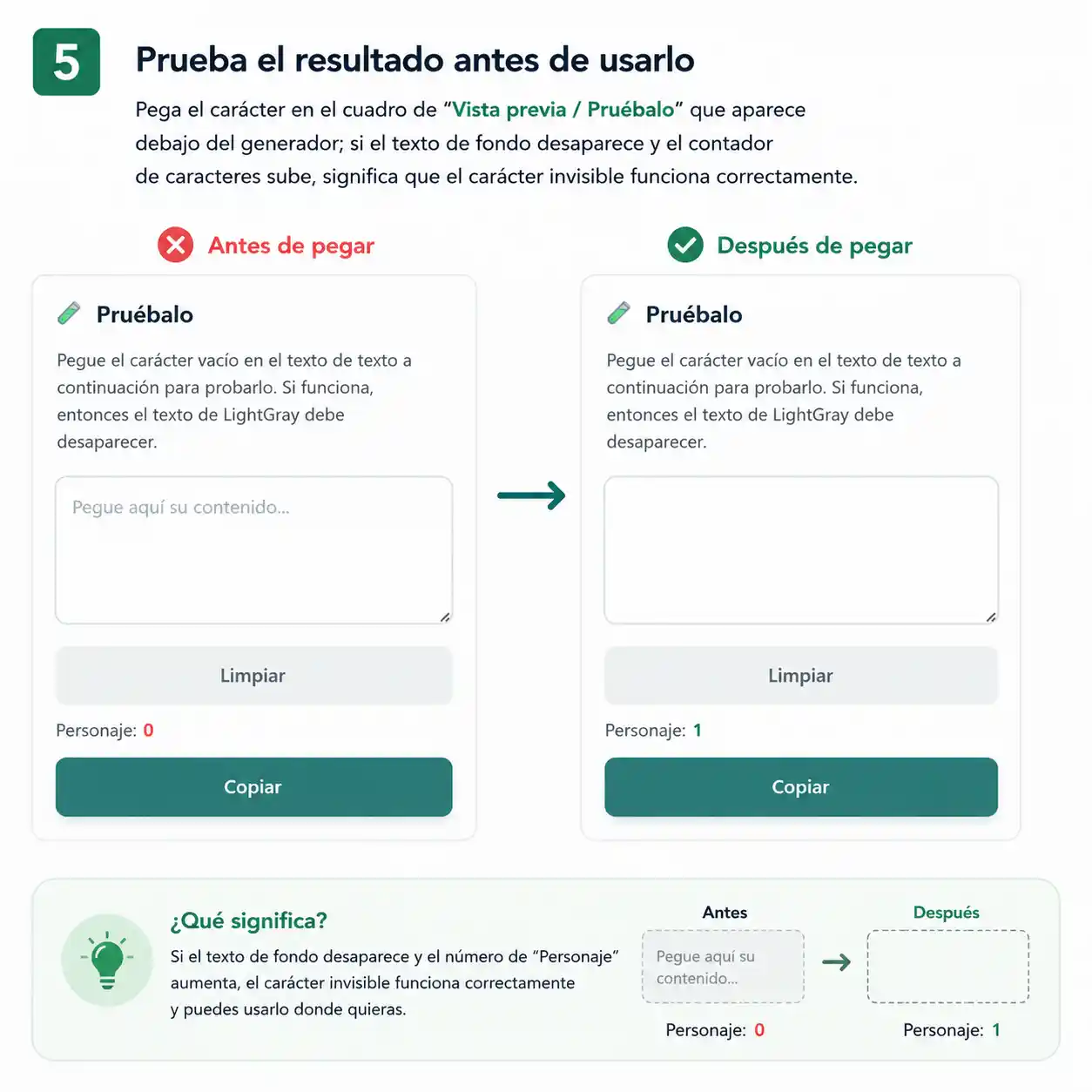
Test the result before using it
Paste the character into the “Live Test / Try It” box located below the generator; if the placeholder text disappears and the character counter goes up, your invisible text is working correctly.
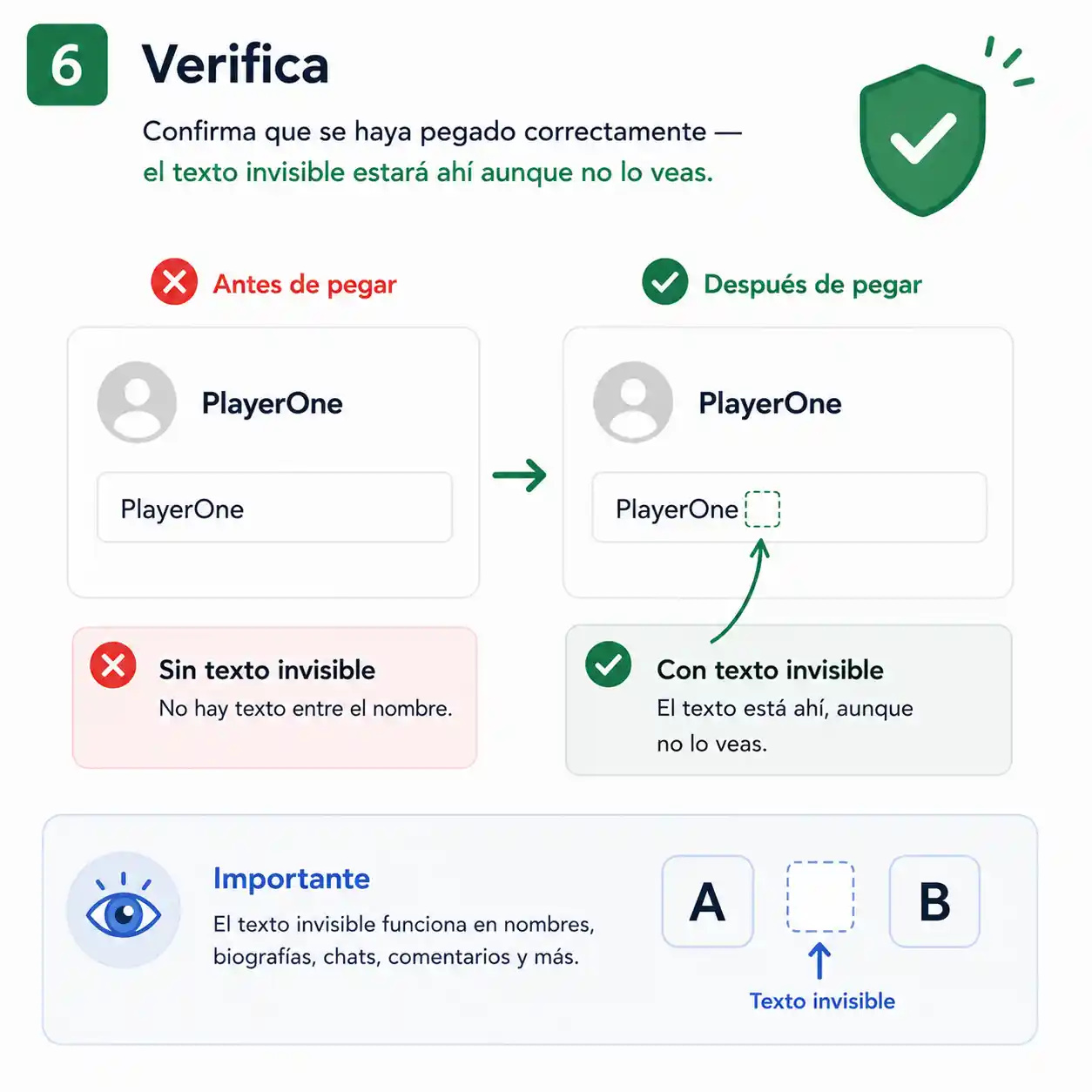
Verify
Confirm that it has been applied properly – the blank space will be there, even though it remains invisible to the eye.
✅ No account required, no software installation, and 100% free forever. Works smoothly on Android, iPhone, Windows, Mac, and iPad.
Unicode Characters Table for Invisible Text
| # | Character Name | HTML Code | Unicode | CSS Code |
|---|---|---|---|---|
| 1 | Standard Space |   | U+0020 | \0020 |
| 2 | Non-Breaking Space (NBSP) |   | U+00A0 | \00A0 |
| 3 | Zero-Width Space (ZWSP) | ​ | U+200B | \200B |
| 4 | En Quad |   | U+2000 | \2000 |
| 5 | Em Quad |   | U+2001 | \2001 |
| 6 | En Space |   | U+2002 | \2002 |
| 7 | Em Space |   | U+2003 | \2003 |
| 8 | Three-Per-Em Space |   | U+2004 | \2004 |
| 9 | Four-Per-Em Space |   | U+2005 | \2005 |
| 10 | Six-Per-Em Space |   | U+2006 | \2006 |
| 11 | Figure Space |   | U+2007 | \2007 |
| 12 | Punctuation Space |   | U+2008 | \2008 |
| 13 | Thin Space |   | U+2009 | \2009 |
| 14 | Hair Space |   | U+200A | \200A |
| 15 | Braille Pattern Blank | ⠀ | U+2800 | \2800 |
| 16 | Medium Mathematical Space (MMSP) |   | U+205F | \205F |
| 17 | Ideographic Space (CJK) |   | U+3000 | \3000 |
Why Choose Our Invisible Text Generator?
100% Free & No Sign-Up
Copy and paste directly without creating an account or paying fees.
Multiple Unicode Options
Access over 15 distinct invisible Unicode variations in one place.
Three Handy Sizes (L, M, S)
Choose the exact spacing dimension suited to your specific platform.
Real-Time Testing Sandbox
Verify that your blank space works instantly with live character counters.
Cross-Platform Compatibility
Compatible with WhatsApp, Instagram, Discord, TikTok, Free Fire, and PUBG.
Responsive Across All Devices
Optimized for smooth performance on desktop, tablet, and smartphone browsers.
Unlimited Copying
Generate and copy invisible spaces as many times as you want without caps.
Ultra-Fast & Ad-Free Flow
Instant 1-click copying with zero disruptive pop-ups or wait timers.
Where Can You Use Invisible Text?
💬 Invisible Text for WhatsApp
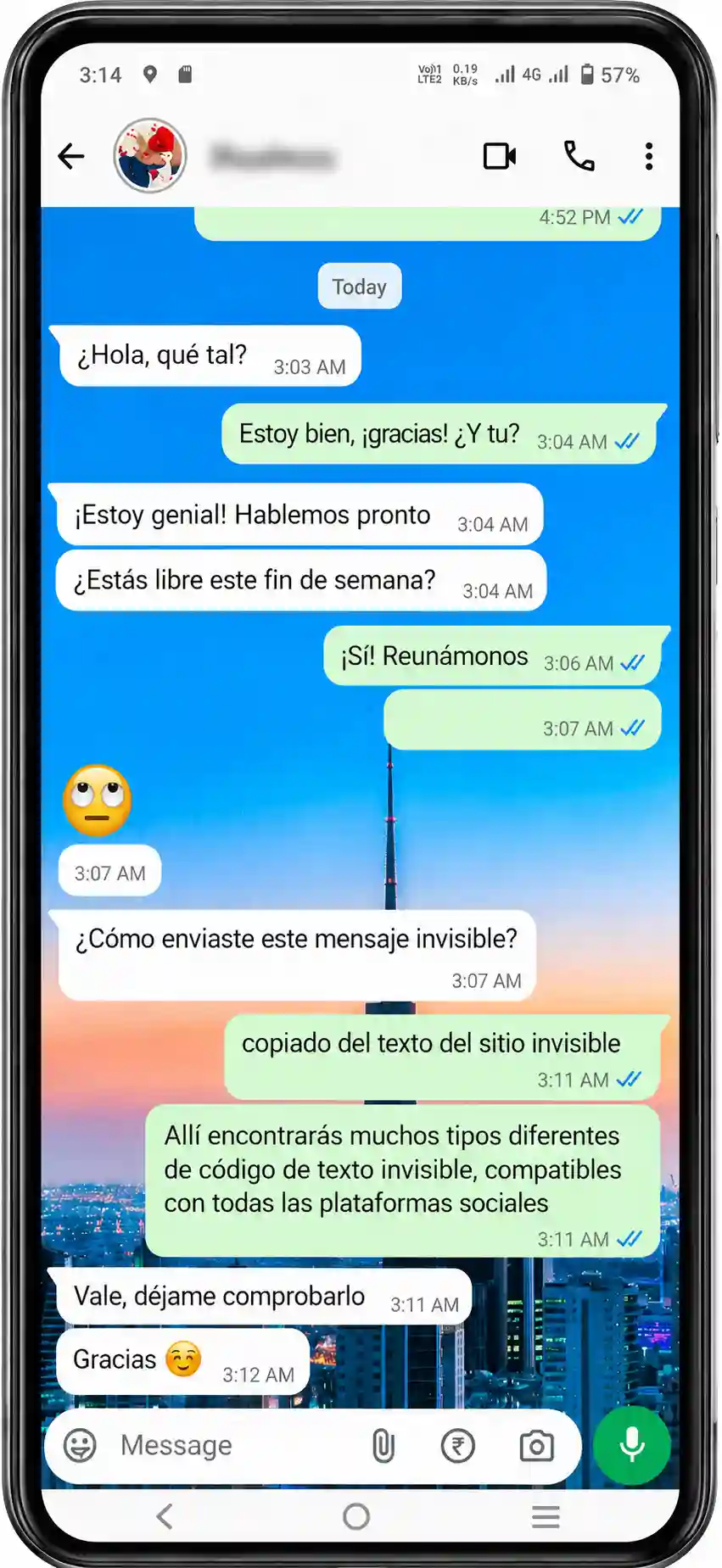
I frequently use this simple trick on WhatsApp to prank my friends – I send a “blank message” that triggers a standard message ping, but when they open the chat, there’s absolutely no visible text. It is a fun, lightweight way to surprise your contacts without downloading third-party mods.
You can use invisible text on WhatsApp to send blank chats, clear your about status, or create spacing. Simply copy the character, paste it into the chat bar, and hit send – WhatsApp processes it as a valid message and delivers it seamlessly.
📸 Invisible Text for Instagram
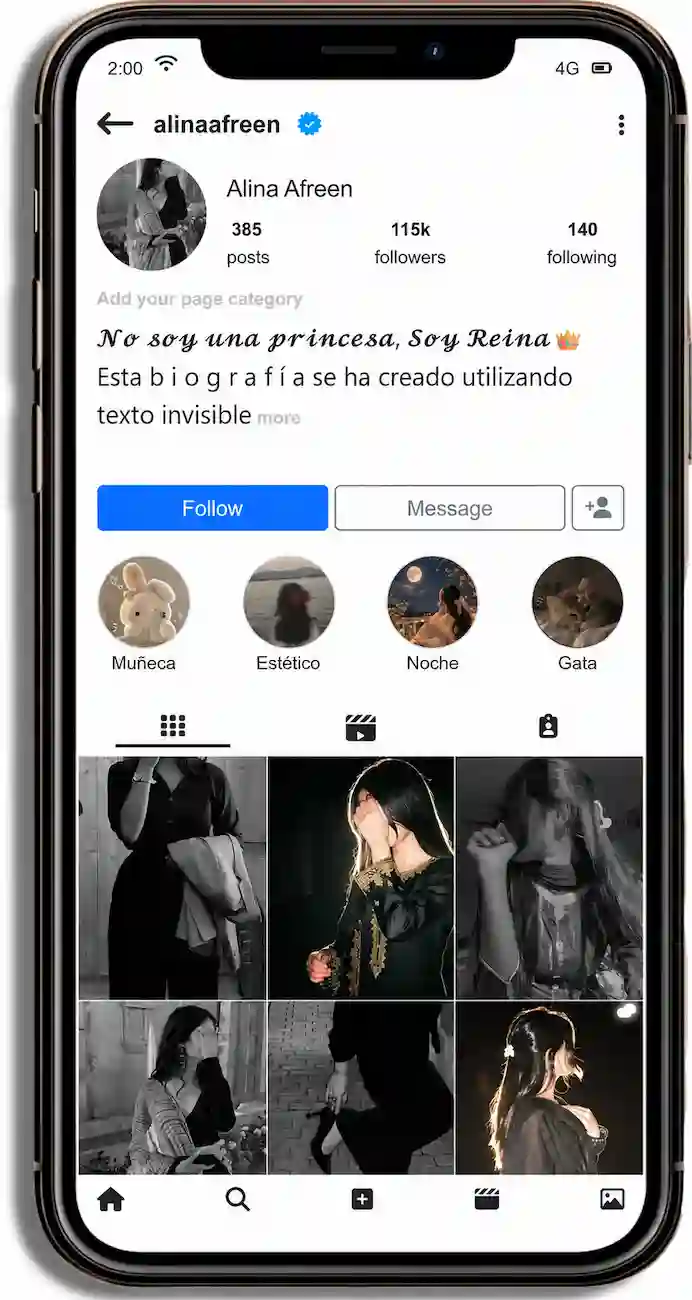
I personally use this in my Instagram bio to create clean line breaks and blank lines between paragraphs, since the app tends to collapse regular empty lines – invisible characters solve this formatting annoyance instantly.
On Instagram, invisible text helps you craft an aesthetic, minimalist bio, space out hashtags cleanly beneath your captions, or post an intriguing empty comment on posts.
🎮 Invisible Text for Discord
Discord doesn’t permit empty display names with regular spacebars, but pasting an invisible character lets you rock a nameless, transparent profile. It’s also great for formatting divider channels on your server.
🎵 Invisible Text for TikTok
Use blank spaces to customize your TikTok display name or organize your bio cleanly without resorting to awkward dots or special symbols.
👍 Invisible Text for Facebook
Just like WhatsApp, you can send empty messages on Messenger or publish blank comments on Facebook posts.
▶️ Invisible Text for YouTube
Ideal for leaving blank comments under videos or customizing channel names with unique character spacing.
Invisible Text for Gaming & Online Titles
🔥 Free Fire
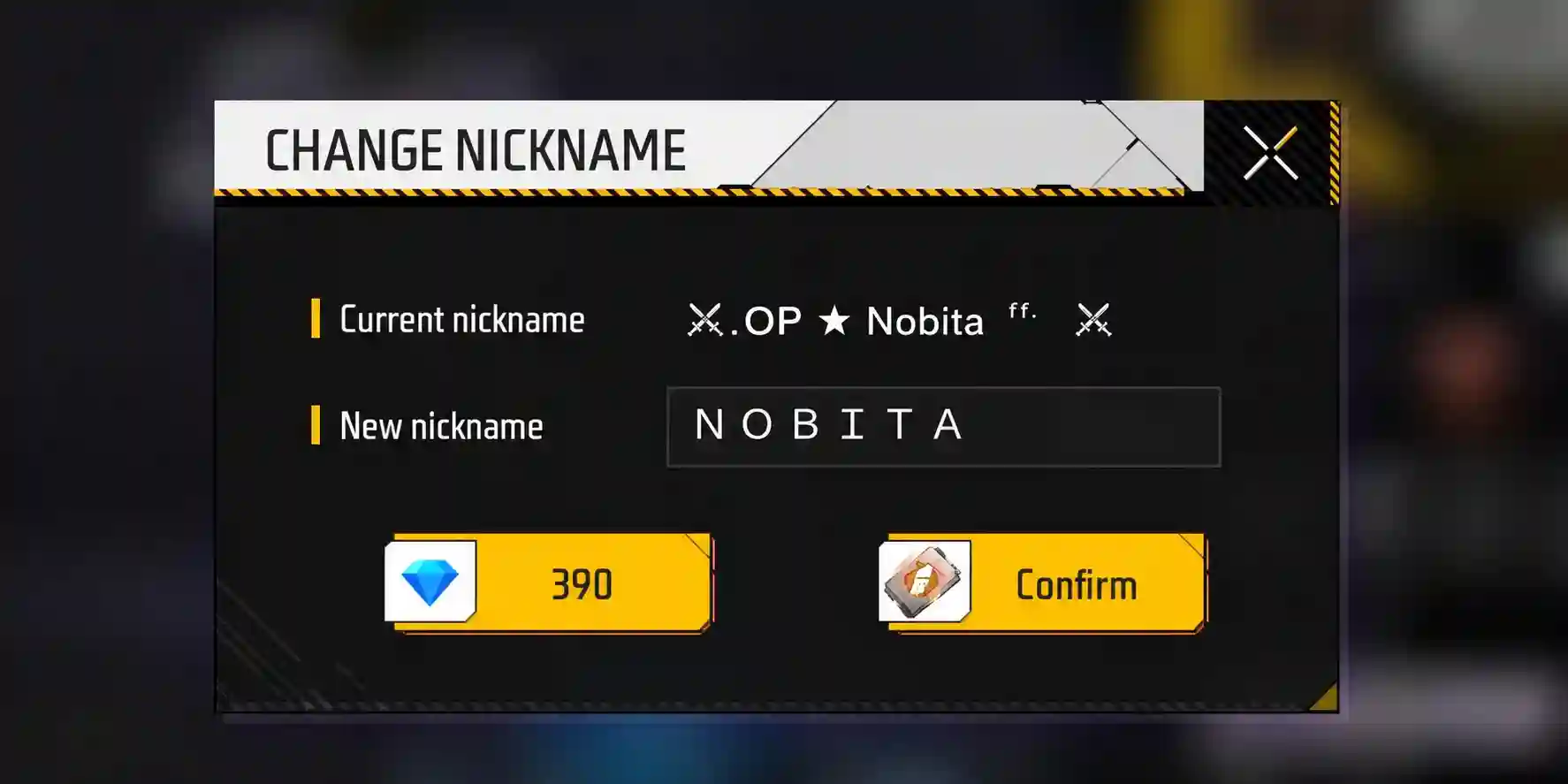
I tested this method myself by inserting the invisible space into the middle of my Free Fire nickname, and it works like a charm – it is the #1 trick players use to get a nameless handle or separate words in their gamer tag.
- Copy the invisible text character from our generator or table above.
- Launch Free Fire and head to your player profile.
- Select the “Edit Nickname” option.
- Paste the invisible space in the middle or at the end of your name (placing it between letters provides the highest success rate).
- Confirm your changes – the invisible character will apply immediately.
🎯 PUBG Mobile
Same quick process: copy the invisible character, open your Rename Card in PUBG Mobile, and paste it into the new name field.
🏗️ Fortnite
In Fortnite, you can use invisible spaces to fine-tune your Epic Games display name within the limits of their naming filters.
🧱 Roblox
While Roblox strictly validates usernames, invisible text works wonderfully in the “About” section of your user profile.
🇲🇽 Invisible Text in Mexico & Global Gaming Culture
In Mexico and across Latin America, invisible text has exploded in popularity among Free Fire and PUBG Mobile communities, where sporting a “blank nickname” is a popular flex on competitive servers (for in-depth strategies, check out our complete Free Fire invisible name guide with pro tips). It is also heavily used on WhatsApp for pranks and on Instagram for bio styling.
Unlike some regions that use it for web design, the dominant use case in Latin America revolves around mobile gaming customization and social messaging fun.
How to Detect and Remove Invisible Characters
If you need to identify or strip an unwanted invisible character from a piece of text, follow these simple steps:
Select all text (Ctrl+A / Cmd+A) and paste it into a plain text editor like Notepad – basic text editors highlight unusual whitespace far more clearly than social apps.
Use “Find and Replace” in word processors like MS Word or Google Docs, searching by Unicode value (e.g., U+200B) to locate and delete it instantly.
Check character count – if your input field counts more characters than what is visibly on screen, you have hidden invisible characters present.
Manually backspace right after the visible letters – in most cases, invisible spaces reside at the very beginning or end of the text string.
💡 This is especially handy if you suspect a username, code snippet, or comment contains unwanted ghost characters.
Is It Safe to Use Invisible Text?
Yes, using invisible text is 100% safe and poses zero risk to your account or device. These are standard, official Unicode symbols recognized worldwide, just like any letter or number. However, we recommend using them responsibly:
- Avoid using invisible spaces to spam or harass other users
- Respect the terms of service of each platform you use
- Keep in mind that certain platforms may automatically filter specific Unicode spaces for moderation purposes
In rare instances, hidden characters are misused to bypass automated filters. Our tool is designed strictly for creative, personal, and entertainment use.
Invisible Text vs Fancy Text (Decorative Fonts)
| Feature | Invisible Text | Fancy Text (Decorative Fonts) |
|---|---|---|
| Visibility | Completely invisible (pure blank space) | Fully visible with stylized font glyphs |
| Primary Purpose | Blank spaces, hidden usernames, empty lines | Visual aesthetic styling for text and words |
| Compatibility | Universal (almost every platform) | May render as question marks on older devices |
| Typical Use Case | Blank messages, nameless gaming handles | Stylish bios, catchy captions, prominent headers |
Frequently Asked Questions (FAQ)
Yes, on the vast majority of apps and websites, though certain games like Roblox or Fortnite may restrict specific Unicode characters for anti-abuse reasons.
Yes, highlighting the text with a cursor or pasting it into a basic text editor like Notepad easily reveals the presence of invisible spaces.
Simply use the Backspace key right after the visible text or use the Find & Replace feature in any standard text editor.
No, because it is an official standard Unicode symbol, not a third-party hack, script, or exploit.
Yes, it is the most popular method players use to create spaced or invisible nicknames in Free Fire.
No, our generator is completely free and instantly accessible without any registration.
Standard keyboards don’t have dedicated keys for zero-width Unicode characters. The fastest way is to copy it directly from our online generator.
Available Languages
This tool is also available in several other languages:
Conclusion
Invisible text is a simple yet powerful asset for customizing your profiles on social media, messaging apps, and gaming titles. Whether you want an invisible gamer tag in Free Fire, a clean and structured Instagram bio, or an empty message on WhatsApp to surprise a friend, our free invisible text generator allows you to copy and paste the exact character you need in seconds, hassle-free.